The agent asks. You tap.
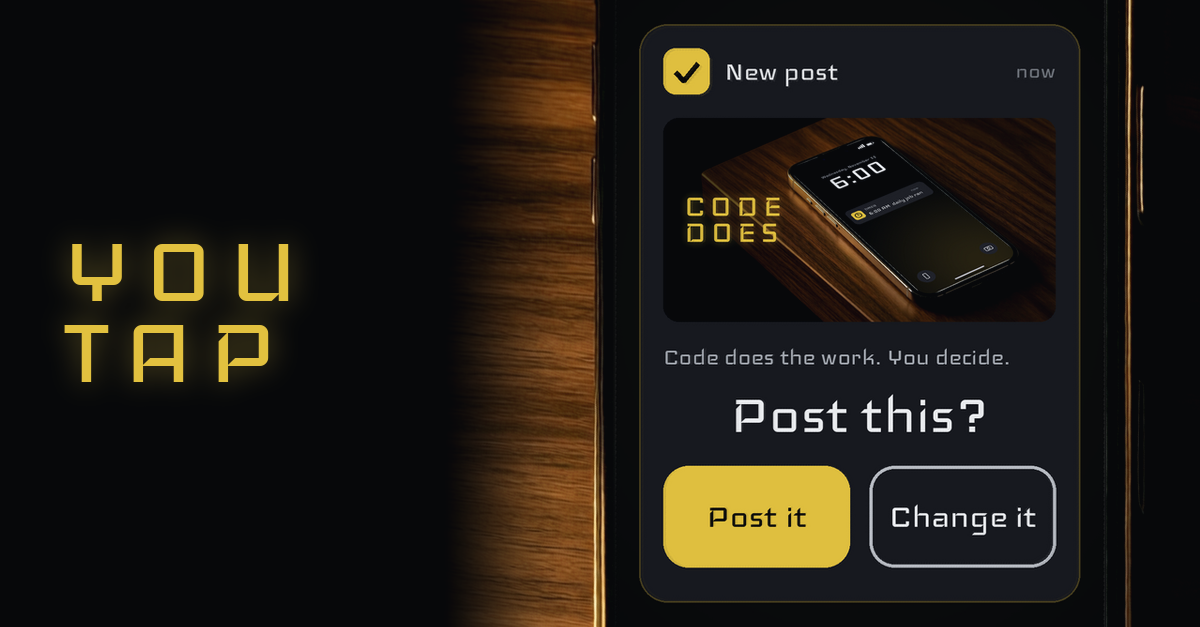
Your agents do the work. You make the calls.
That split is the whole approval workflow. An agent can read, write, build and check all day without you. But some moves are yours: spending money, posting in public, deleting something, sending anything off your machine. For those, the agent stops and asks, and you answer with one tap.
Here is how to set that up so it holds every time, not just on the days you remember to watch.
New to running more than one agent? Start with the guide to running a crew of AI agents.
Want to see how a crew runs on one screen? See the Command Center.
Sort the work: what an agent does alone, and what it asks about
Start with two lists.
The first list is work the agent just does. Drafting, researching, testing, fixing its own code, filing notes. If it goes wrong, you can undo it, and nobody outside sees it.
The second list is work the agent asks about. Money. Posting. Deleting. Anything that leaves your machine: an email, a message, a file sent to someone else. If it goes wrong, you can't take it back.
The test is simple. Can you undo it, and does it stay inside? Yes to both, the agent does it. No to either, the agent asks.
Write the red lines down once, in plain words, where every agent reads them
An agent can't follow a rule it never saw. So write the second list down as red lines, in plain words, in one file every agent loads when it starts.
Keep it short. "Never spend money without asking. Never post without asking. Never delete without asking. Never send anything outside without asking." A list you can read at a glance is a list that gets followed.
Write it once. Every agent reads the same file, so you never explain the rules twice, and a new agent knows them on its first day.
The card: one question, complete options, a recommendation first
When an agent hits a red line, it doesn't stop and wait for you to figure out what it means. It sends you a card.
A good card has three parts. One question, in plain words. Two or three complete options, each one something the agent can do the moment you pick it. The option it recommends, listed first.
A plain example of the pattern:
"Post this? 1) Post it 2) Change it"
That's it. You don't have to open anything, read a log or write a reply. You read one question and pick one answer. If you need more, the card carries the words and the picture so you can decide without leaving it.
Put the card where you already look: your phone
A card in a dashboard you have to open is a card that waits.
Send it to the place you already check: your phone, as a message with buttons. That is how you approve AI agent actions from your phone without logging in to anything. The decision finds you, not the other way round.
One card per decision. If an agent has three questions, that is three cards, each one you can answer on its own.
Want every agent's state on one screen as well? See the guide to one dashboard for all your agents.
Make the gate code, not a promise
Here is the part most setups skip. Telling an agent "ask before you post" is a promise. Promises slip.
Make the gate code instead. Put the post, the payment or the delete behind a small script that checks for your recorded answer first. No tap on file, no action. The agent can't talk its way past it, because the script isn't listening to the agent. It is reading your answer.
That is the real way to stop an AI agent from acting without asking. You don't trust it to remember. You make the action wait.
Same idea as scheduling: code repeats, the agent thinks, you decide.
What happens when you don't answer: stop and report
You will miss cards. You'll be driving, asleep or busy. Decide now what happens then.
The default is always the same: stop and report. If the card times out, the agent does not go ahead. It leaves the work exactly where it was and tells you it stopped. When you come back, the card is waiting, sent again in full, and you answer it then.
Never set the default to "go ahead". A silent yes is not a yes.
Read the trail: every tap stamped with the time
Every card and every answer gets written down: what was asked, which option you picked, and the time you picked it.
That trail is how you see who decided what. When you look back at a post or a purchase, you can see the card, your tap and the minute it happened. If an action has no tap behind it, you know right away something went around the gate.
Read the trail the way you read a bank statement. A glance most days, a close look when something surprises you.
This is what a human in the loop AI agent setup really means. Not you watching every step. You making every call that matters, with a record of each one.
Start with one red line this week
Pick the one action you'd least like an agent to do without asking. Write it as a red line. Put a gate in front of it that waits for your tap. Send the card to your phone.
One gate that holds is worth more than ten rules an agent might remember.